
Boot Your Computer Faster
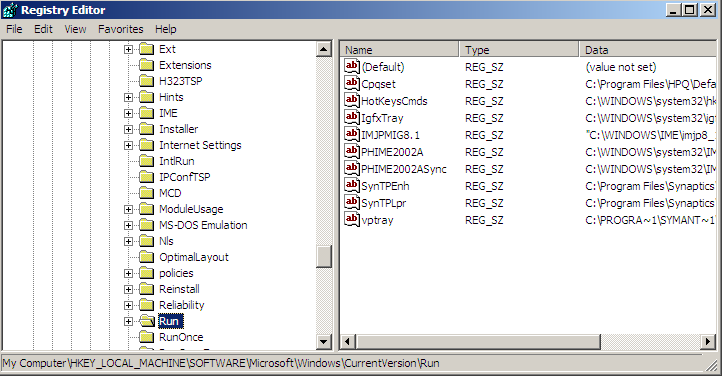
My machine is very slow especially at startup, many tools uses my tray and they provide no way to delete. Even if I tried to uninstall, some refused!
Here how to get rid of them, at least the annoying. Open Start Menu, in the Run editor, type RegEdit.exe and hit enter. (very long way to say run regedit!)
Browse the keys to reach the following path:
HKEY_LOCAL_MACHINESOFTWAREMicrosoftWindowsCurrentVersionRun
Review the and make sure to remove only unwanted entries. Be careful, registery changes are not for beginner users.
From ahm507.blogspot.com
Comments
Comments are closed. These were left on the earlier version of this blog.
Anonymous
You can use simple command in run and do the same
Start>run> msconfig > startup
uncheck the unwanted application